Your workspace's time zone
Where your workspace's time zone comes from, what it changes (days, due times, 7 am emails) and how a director sets it.
On this page
Your workspace has one time zone, and this article shows where it comes from, what it changes and how a director sets it.
Before you start
- Only a director can change the time zone. Managers see it read-only. Area leads see it read-only on the web.
- The time zone belongs to the whole workspace. There is no time zone per person or per site.
Where it comes from
When you create a workspace, ClearAudit takes the time zone of the phone or computer you sign up on. If it can't be read, the workspace starts on Australia/Brisbane.
What it changes
- Days. "Today", "Overdue", "Due today" and "Later this week" are counted in the workspace's time zone.
- Due times. A mess reported as Today is due by the end of the workspace's day.
- Cover. Cover for an away cleaner lasts for the workspace's day.
- Emails. The weekly summary, the monthly report, late-fix reminders, audits overdue and client reports go out at about 7 am in the workspace's time zone. Zones on a half hour, such as Adelaide, get them at 7:30 am.
- Dates on reports. Report periods and dates are worked out in the workspace's time zone.
Check or change it on the web
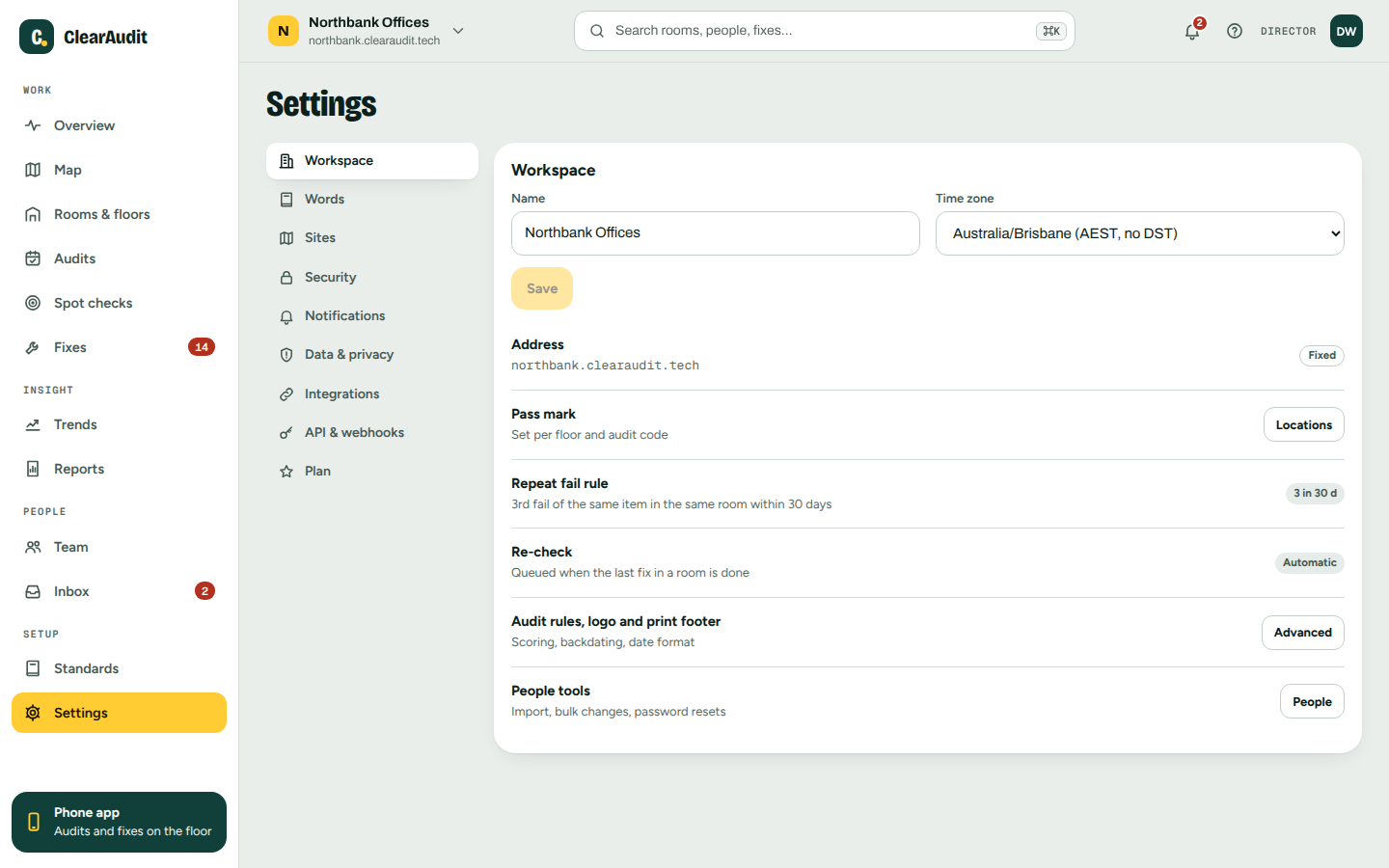
- Open Settings > Workspace.
- Look at Time zone.
- To change it, pick another zone from the list and click Save.
Check or change it in the phone app
- Tap More, then Set up, then Workspace.
- Under Time zone, pick a zone. It saves straight away.
If your zone is not in the list
The list shows your workspace's current zone and the Australian zones: Brisbane, Sydney, Adelaide, Perth and Darwin. If you need another zone, for example because you signed up while travelling, email support@clearaudit.tech from a director's address with the zone you need and we will set it.
Good to know
- Zones with daylight saving, such as Sydney, change over automatically.
- Changing the time zone does not change any stored audit. Dates and times are shown in the new zone from then on, so an audit done or due near midnight can show on the day before or after.
- If your Monday email arrives at the wrong hour, the time zone is the first thing to check.
- People working in another time zone still see the workspace's days, not their own.
Related articles
Thanks. That helps keep this guide right.